Skip to content

File Plugin

The File plugin provides fast file search capabilities, supporting cross-platform efficient file indexing.

Features

  • Global Search: Search all files in your system
  • Fast Indexing: Uses OS-provided fast indexing services
  • Debounce Search: Avoids frequent searches, improves performance
  • File Operations: Open, delete, show context menu, etc.

Basic Usage

Search Files

  1. Open Wox
  2. Type file name or partial file name directly
  3. View search results
report.pdf
→ Search all files containing "report.pdf"

README
→ Search all files containing "README"

Use Trigger Keyword

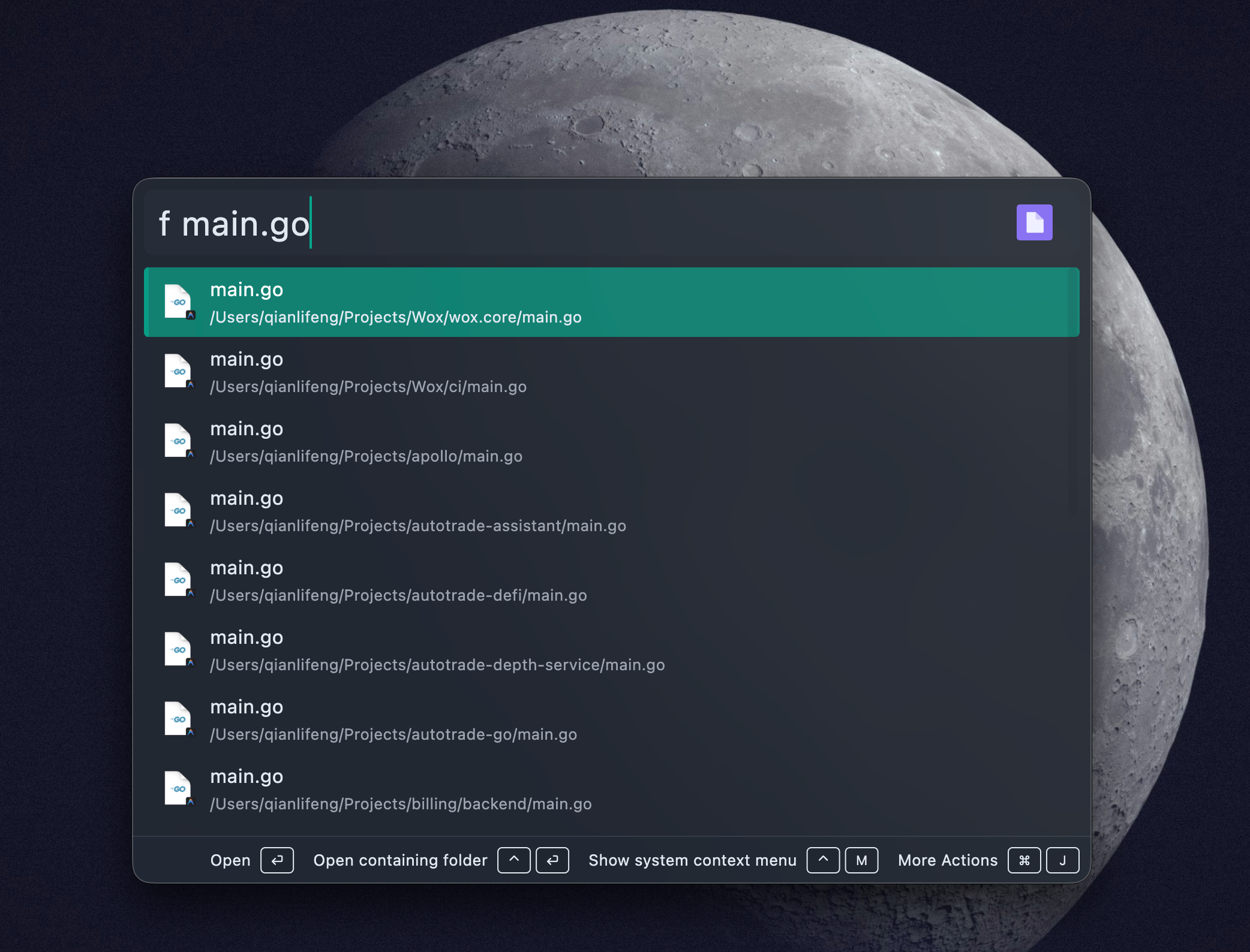
Use f to trigger file search:

f project
→ Search files containing "project"

File Operations

After finding files, you can perform these actions:

Open File

Press Enter or choose "Open" action to open with default program.

Open Containing Folder

Press Ctrl+Enter or choose "Open Containing Folder" action to open file's directory in file manager.

Delete File

Choose "Delete" action to move file to trash (not permanent delete).

Show Context Menu

Press Ctrl+M or choose "Show Context Menu" action to display system context menu for more operations.

Platform Features

Windows

Windows uses Everything as file indexing engine:

  • Fast: Everything is fastest file search tool on Windows
  • Real-time Updates: File changes reflect in search results in real-time
  • Low Resource: Uses minimal system resources

Installing Everything:

  1. Visit Everything Official Site
  2. Download and install Everything
  3. Start Everything (ensure service is running)
  4. Wox will auto-connect to Everything

Common Issues:

If you see "Everything not running" prompt:

  1. Confirm Everything is installed and running
  2. Check Everything settings, ensure HTTP service is enabled
  3. Restart Wox

macOS

macOS uses Spotlight indexing:

  • System Integration: Uses macOS built-in Spotlight index
  • No Extra Software Needed: No need to install other tools
  • Auto Updates: File changes auto-sync to index

Notes:

  • Some system folders may need permission to access
  • External drive files may not appear in search immediately
  • Can configure Spotlight index scope in system settings

Linux

Linux supports multiple file indexing engines:

  • Uses system default file index (like locate)
  • May require additional configuration for best performance

Search Tips

Fuzzy Matching

File plugin supports fuzzy matching, no need to type full file name:

rep.pdf
→ May match: report.pdf, representation.pdf

readme
→ May match: README.md, readme.txt

Search by Extension

Type file extension to search specific file types:

.pdf
→ Search all PDF files

.jpg
→ Search all JPEG images

If you know approximate file location, type part of path:

Documents/report
→ Search files containing "report" in Documents folder

Configuration Options

File plugin currently has no user-configurable options. All settings are automatic.

FAQ

Why can't I find a specific file?

  1. Check indexing:

    • Windows: Ensure Everything is running
    • macOS: Check Spotlight settings, confirm file is indexed
    • Linux: Ensure file indexing service is running
  2. Wait for index update: Newly created files may take a few seconds to be indexed

  3. Check file permissions: Ensure you have permission to access to file

  4. Restart Wox: Sometimes requires restart to reconnect to index service

Search is slow?

Windows users:

  • Ensure you're using latest version of Everything
  • Disable unnecessary indexing in Everything settings

macOS/Linux users:

  • Check disk performance
  • Clean up system cache

How to exclude certain folders?

File plugin doesn't provide exclude functionality. If you need to exclude folders:

  • Windows: Configure exclusion rules in Everything settings
  • macOS: Configure privacy settings in Spotlight
  • Linux: Configure file indexing service

Can I search network drives?

Windows:

  • Everything can index network drives, but needs to be enabled in settings
  • Search on network drives may be slower

macOS:

  • Spotlight doesn't index network drives by default
  • Needs manual mount and wait for indexing

Too many search results, how to filter?

  1. Type more specific file name
  2. Use file extension
  3. Combine keywords

Usage Scenarios

Quick Open Documents

contract.pdf
project-plan.docx
presentation.pptx

Find Code Files

main.go
app.tsx
utils.py

Open Config Files

config.json
.env
settings.yaml

Technical Notes

File plugin uses platform-specific search backends:

PlatformSearch BackendDescription
WindowsEverything SDKFastest file search tool
macOSSpotlight/MetaBuilt-in system index
Linuxlocate/mlocateTraditional file index

Debounce is set to 500ms, avoiding frequent searches causing performance issues.

Released under the GPL-3.0 License.