AI Commands
AI Commands turn a saved prompt into a reusable Wox command. They are useful when you often send the same kind of text to a model: rewrite selected text, summarize a diff, translate a paragraph, or explain an error.
Configure AI Settings first.
Create a Command
- Open Settings -> Plugins -> AI Command.
- Open the command list.
- Add a command with a name, query keyword, model, and prompt.
- Use
%sin the prompt where Wox should insert your input.
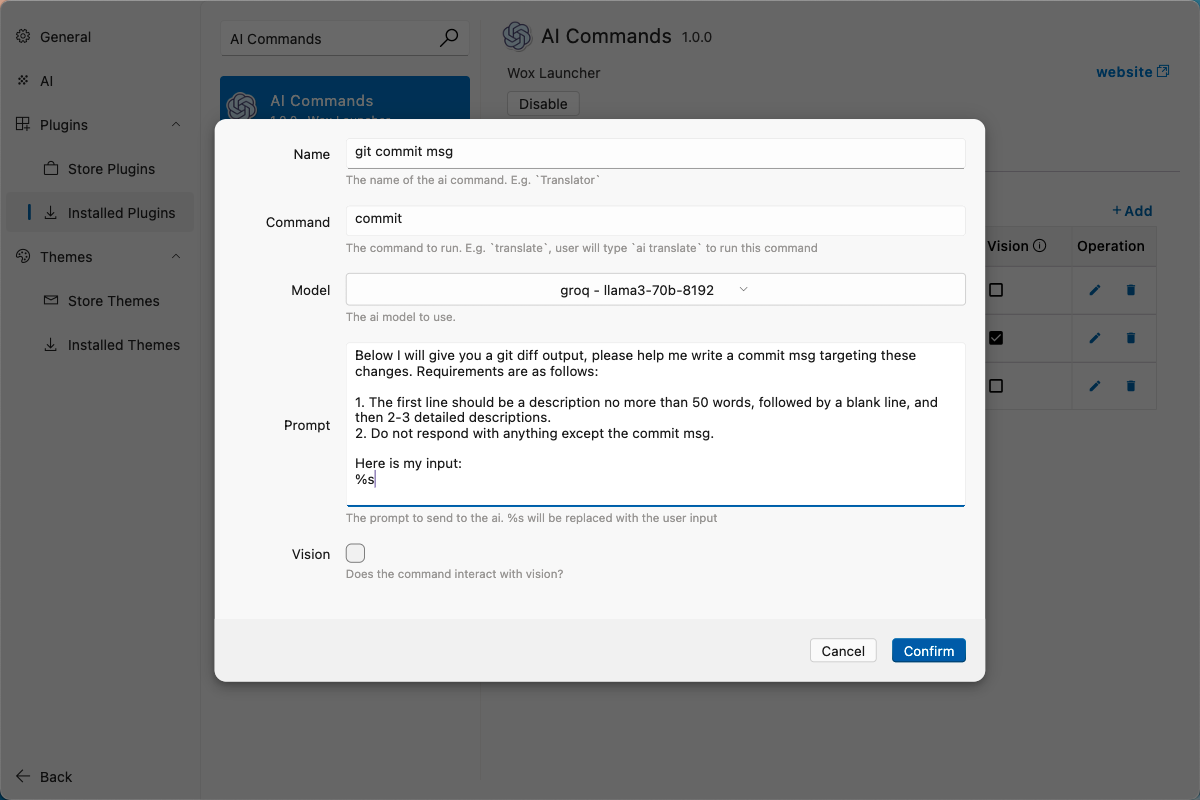
Example: Commit Message From a Diff
Command settings:
| Field | Value |
|---|---|
| Name | git commit msg |
| Query | commit |
| Vision | No |
Prompt:
text
Write a Git commit message for this diff.

Rules:
- First line: imperative mood, 50 characters or fewer.
- Then a blank line.
- Then 2-3 bullet points explaining the concrete changes.
- Output only the commit message.

Diff:
%s
Add a macOS shell helper:
bash
commit() {
  local input
  input="$(cat)"
  python3 -c 'import sys, urllib.parse; print("wox://query?q=ai%20commit%20" + urllib.parse.quote(sys.stdin.read()))' <<< "$input" | xargs open
}
Use it from a Git repository:
bash
git diff | commit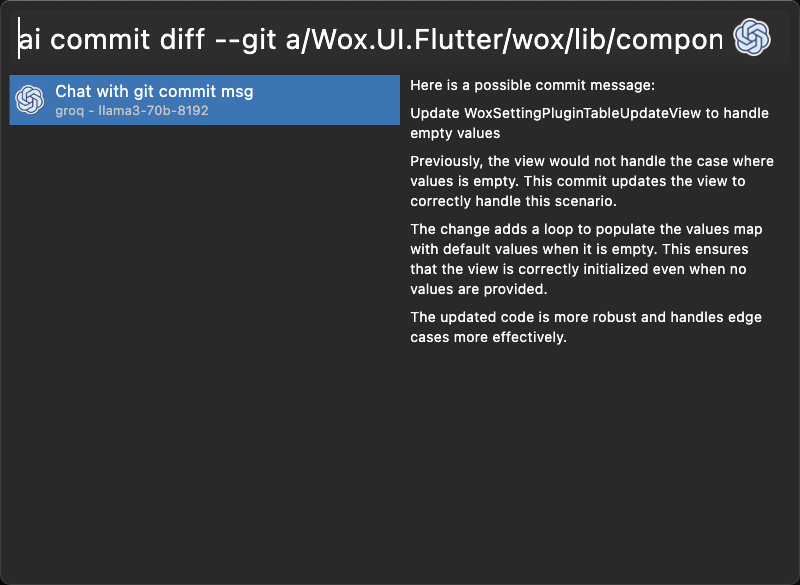
Good Command Prompts
- Say what the output should be.
- Say what should not be included.
- Keep reusable rules in the saved prompt and pass only the changing input at runtime.
- Do not pass private content to online providers unless that is acceptable for your workflow.