AI 命令
AI 命令把一段保存好的 prompt 变成可复用的 Wox 命令。适合处理重复的模型请求:改写选中文本、总结 diff、翻译段落、解释错误信息等。
先配置 AI 设置。
创建命令
- 打开 设置 -> 插件 -> AI Command。
- 进入命令列表。
- 添加命令名称、查询关键字、模型和 prompt。
- 在 prompt 中用
%s表示运行时输入的位置。
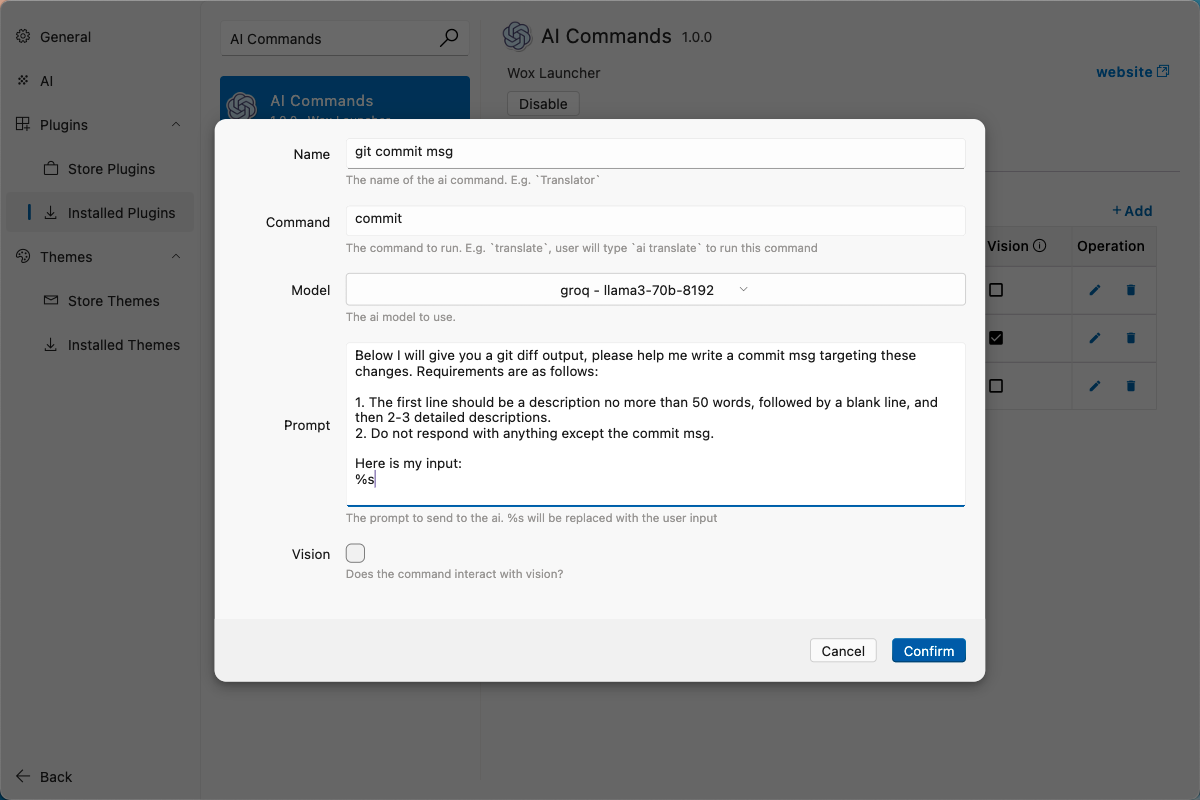
示例:根据 diff 生成提交信息
命令设置:
| 字段 | 值 |
|---|---|
| Name | git commit msg |
| Query | commit |
| Vision | No |
Prompt:
text
Write a Git commit message for this diff.

Rules:
- First line: imperative mood, 50 characters or fewer.
- Then a blank line.
- Then 2-3 bullet points explaining the concrete changes.
- Output only the commit message.

Diff:
%s
添加 macOS shell helper:
bash
commit() {
  local input
  input="$(cat)"
  python3 -c 'import sys, urllib.parse; print("wox://query?q=ai%20commit%20" + urllib.parse.quote(sys.stdin.read()))' <<< "$input" | xargs open
}
在 Git 仓库中使用:
bash
git diff | commit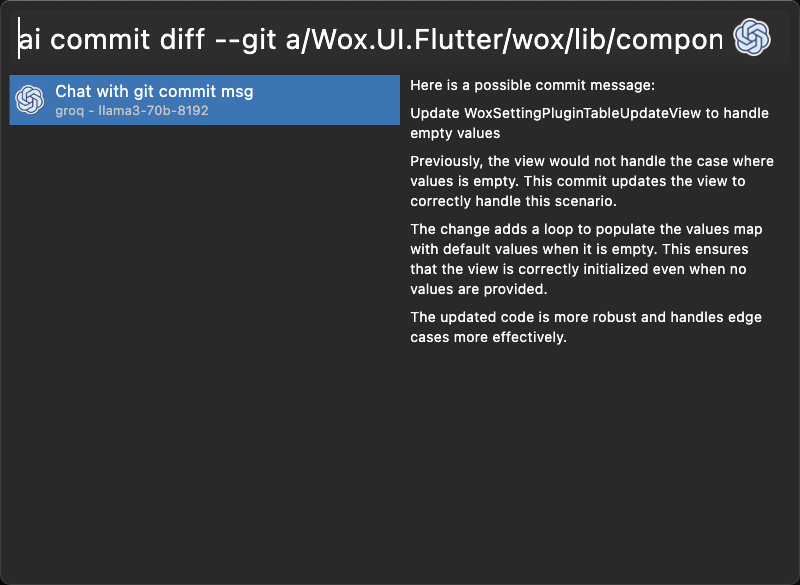
好的命令 prompt
- 明确说明输出应该是什么。
- 明确说明不要包含什么。
- 把可复用规则放在保存的 prompt 里,运行时只传变化的输入。
- 不要把私密内容传给在线 provider,除非这符合你的工作流。