Emoji Plugin
Use emoji to search and copy emoji from Wox.
Quick Start
emoji smile
emoji check
emoji heart
emoji flag
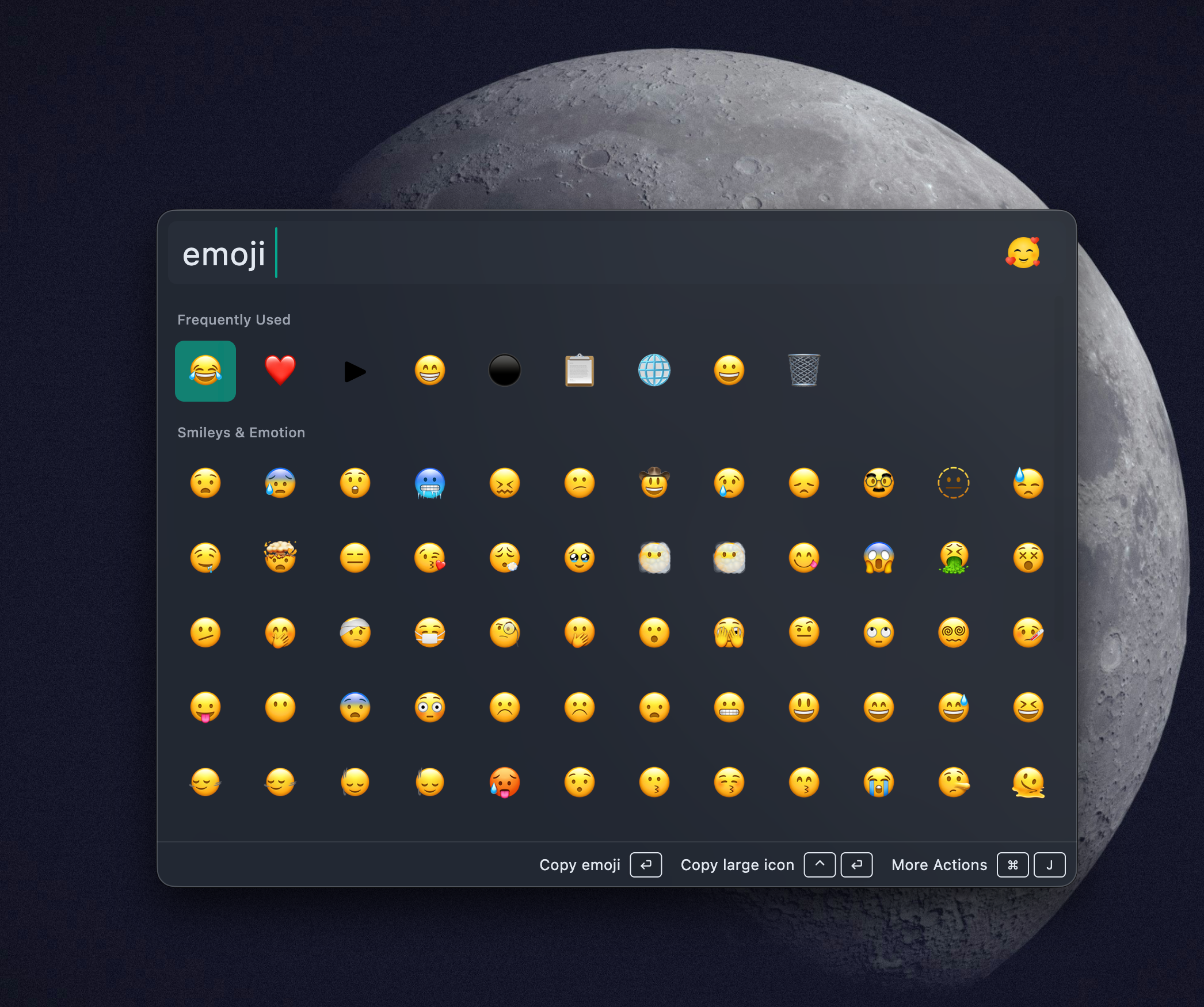
Results use a grid layout so you can scan many choices quickly. Press Enter to copy the selected emoji.
AI Matching
AI matching is optional. When enabled, Wox can match descriptive phrases that are not part of the built-in emoji names.
- Configure an AI provider in AI Settings.
- Open Settings -> Plugins -> Emoji.
- Enable AI matching and choose the model.
Examples:
emoji green success mark
emoji red warning
emoji happy face
emoji cloudy weather
AI matching sends your query text to the selected model. Keep it disabled if you want emoji search to stay fully local.
Ordering
Frequently used emoji are promoted over time. If a common emoji is not first the first time you search, copy it normally; Wox will learn from usage.
Actions
Open the Action Panel for additional options such as copying a larger emoji image, adding a keyword, or removing an item from frequent results when available.
- Enable AI Matching: Whether to use AI-assisted search
- AI Model: Choose AI model to use
Recommendations:
- Daily use: Can disable AI matching for better speed
- Need natural language search: Enable AI matching
FAQ
Why can't I find a certain emoji?
- Check spelling: Ensure emoji name is spelled correctly
- Use keywords: Try using more general keywords
- Enable AI Matching: If you know description but not name, enable AI matching
- Check language: Some emojis may have different names in other languages
AI matching inaccurate?
- Try different descriptions: Use more specific or different description words
- Change AI model: Try using different AI model
- Disable AI Matching: Use traditional keyword search
Emoji not displaying?
- Check system support: Confirm OS supports that emoji
- Update system: Some new emojis may need updated system version
- Check font: Confirm system font supports that emoji
How to quickly insert multiple emojis?
- Search and copy first emoji
- Paste to target location
- Search and copy second emoji
- Continue pasting
Usage Scenarios
Social Media
Quickly insert emojis when sending messages:
happy
→ 😊

laughing
→ 😂

thumbs up
→ 👍
Document Writing
Add emojis to enhance expression in documents:
note
→ 📝

warning
→ ⚠️

important
→ ⭐
Task Management
Mark task status:
todo
→ 📝

done
→ ✅

in progress
→ 🚧
Related Plugins
- Clipboard - Clipboard history, useful for pasting multiple emojis
- WebSearch - Search emoji meanings or usage
- Converter - Other types of content conversion
Technical Notes
Emoji plugin uses built-in emoji database:
- Data embedded in plugin
- Supports thousands of standard emojis
- Supports multiple languages
- Grid layout controlled by plugin feature
AI matching feature:
- Uses AI model to process natural language descriptions
- Returns matching emoji list
- May require network connection (depending on AI model)